NeckGuard
Good posture, without another app fighting for your attention
NeckGuard uses the head-tracking sensors already built into your compatible headphones to notice when you've been looking down too long — then gives you one gentle, brief nudge. It never pauses your music, never takes over your screen. Calibrate once, then forget it's there until you need it.
Mac · Version 1.0 · Released September 29, 2026
An estimate for wellness, not a medical measurement. Talk to a doctor about pain or health decisions.
Your headphones already know when you slouch.
Sit up. That’s it. Your music never pauses.
- 0°
- 15°
- 28°
How it works
-
Calibrate once.
Sit or lie down, hold your natural position for a few seconds, and NeckGuard learns what "good" looks like for you.
-
Put your headphones on and get to work.
Code, study, game, read, or just play music. Keep NeckGuard open on your iPhone (or let it run from the Mac menu bar) and it watches head motion quietly while you work.
-
Get one soft nudge when it matters.
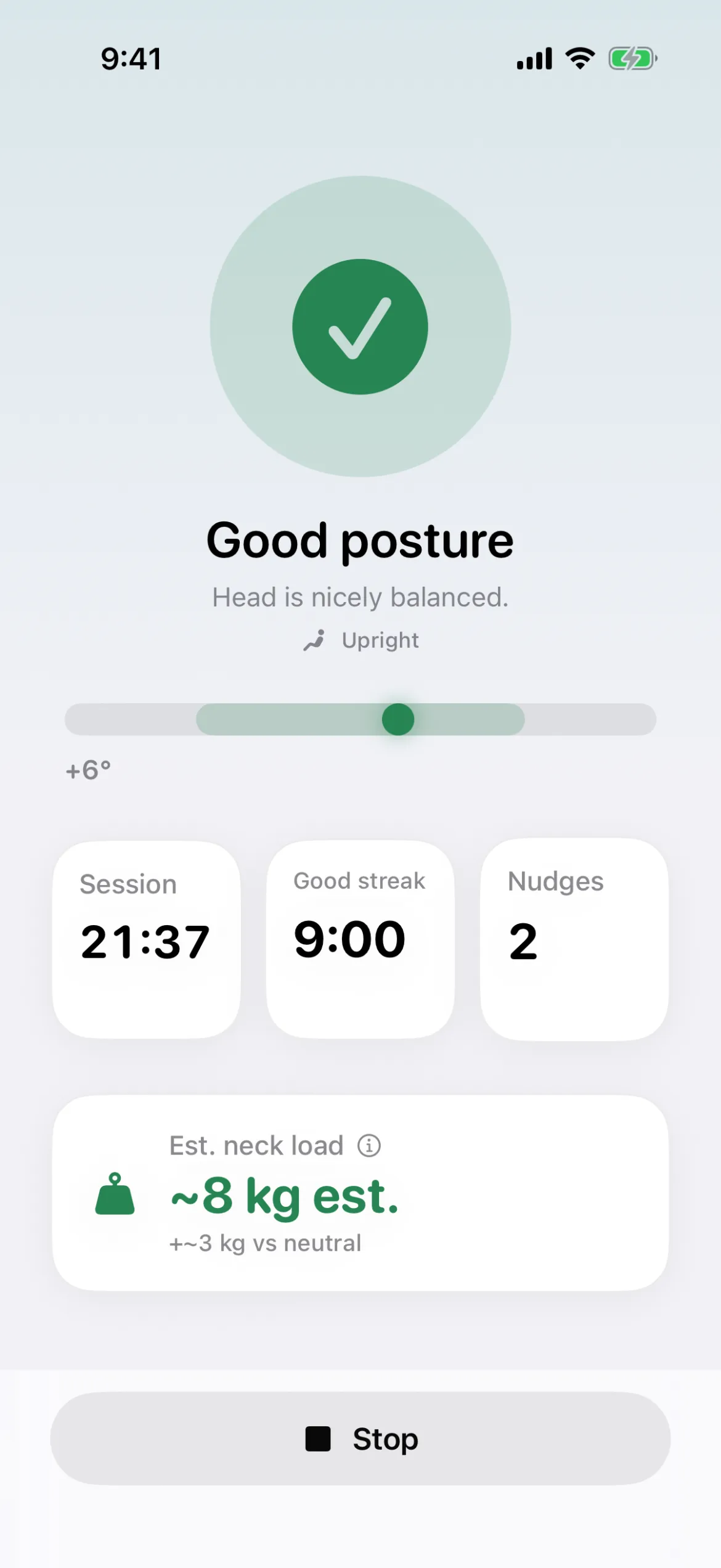
Look down too long and your audio briefly dims, you hear a short cue, and it’s back to normal — while your posture score, streak, and neck-load estimate quietly update.
Features
Gentle nudges that respect your music
- Briefly dims whatever you’re listening to — Spotify, YouTube, Apple Music, a podcast — plays one short cue, then restores audio immediately.
- Never pauses playback, never mutes continuously, never takes over the now-playing screen.
- Sensitivity presets, a nudge delay, and a repeat interval so it matches how forgiving or strict you want it to be.
Know your posture
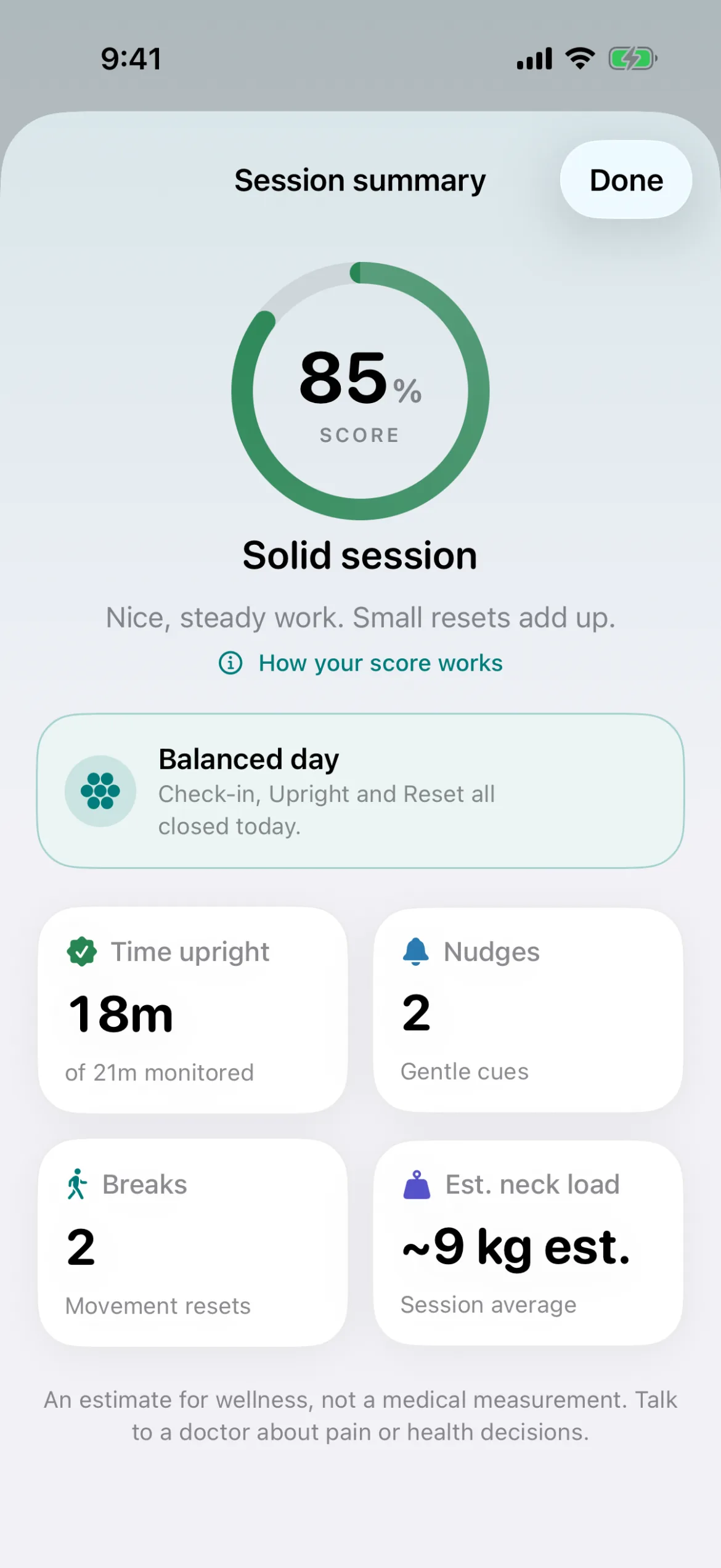
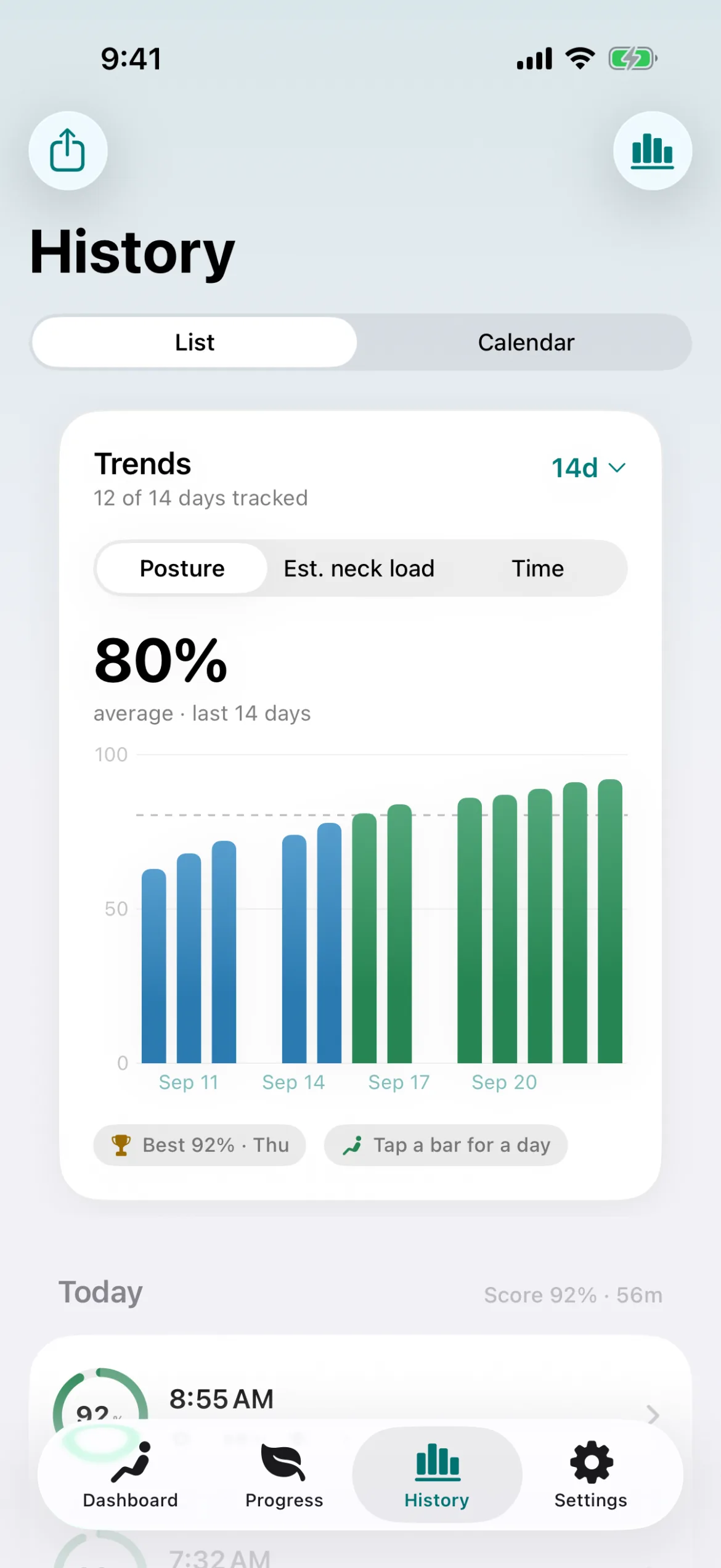
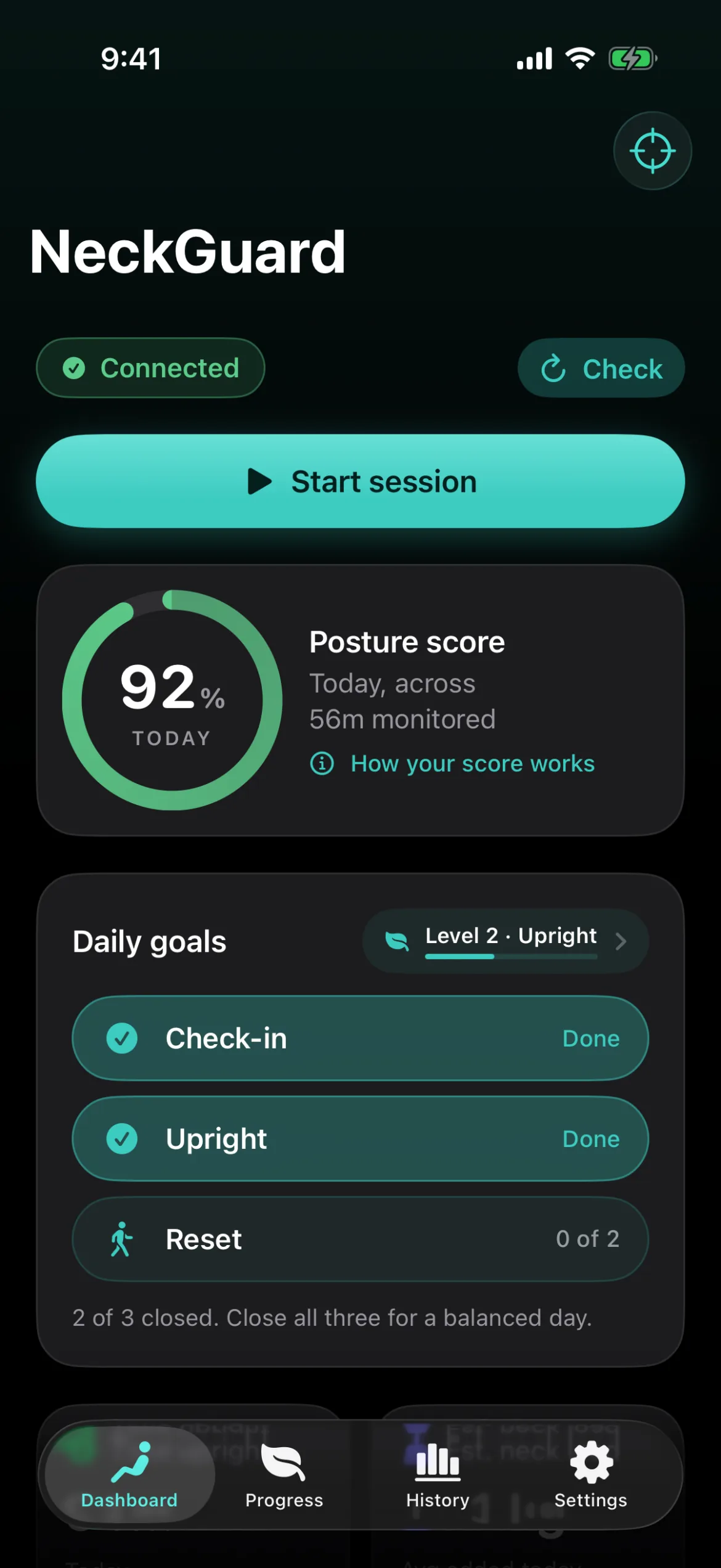
- A live posture score (%) and an estimated neck load (~kg, a wellness estimate — not a medical measurement) while you work.
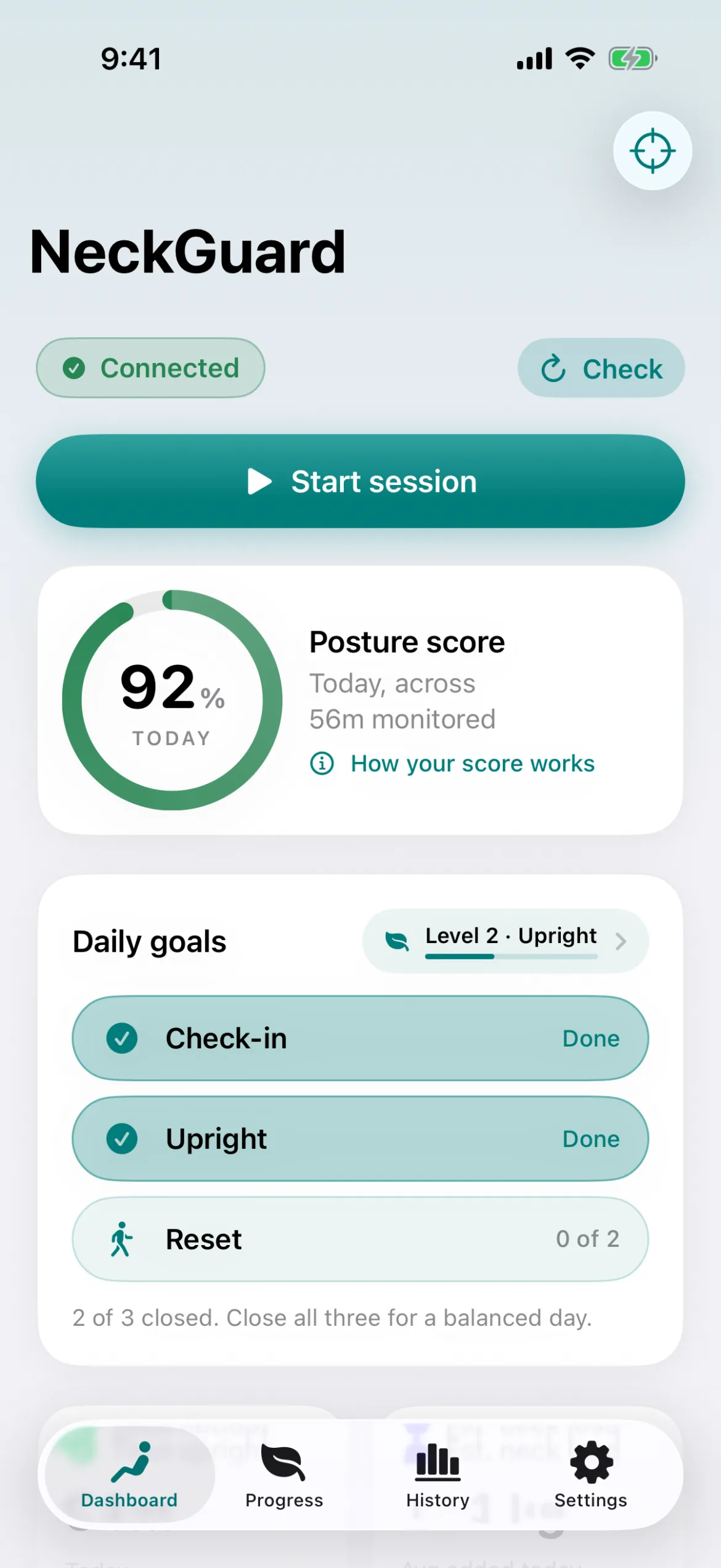
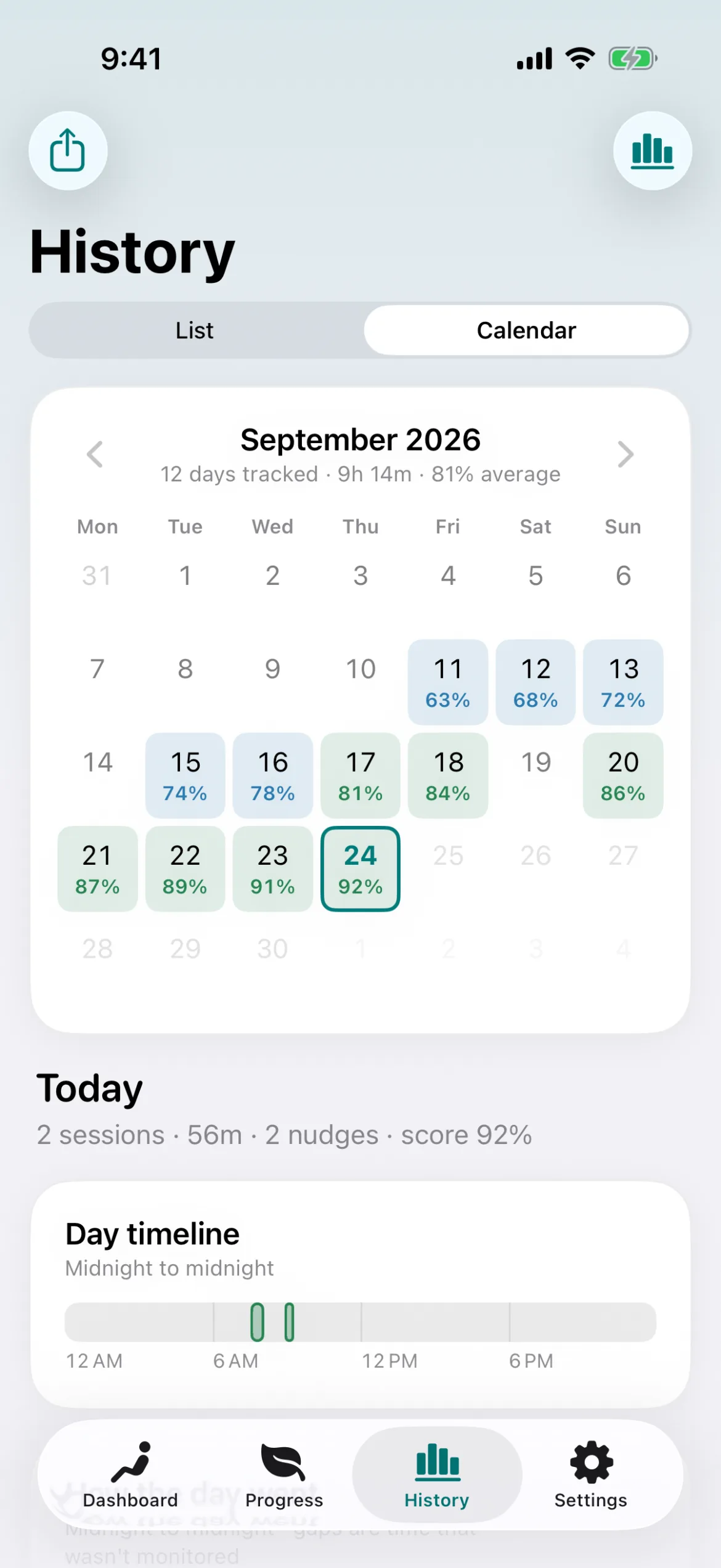
- History, trends, and widgets so you can see how a day or a week actually went.
- A Lock Screen Live Activity shows your current session at a glance (Pro).
Progress that motivates
- Daily goals — Check-in, Upright, Reset — that add up to a Balanced day.
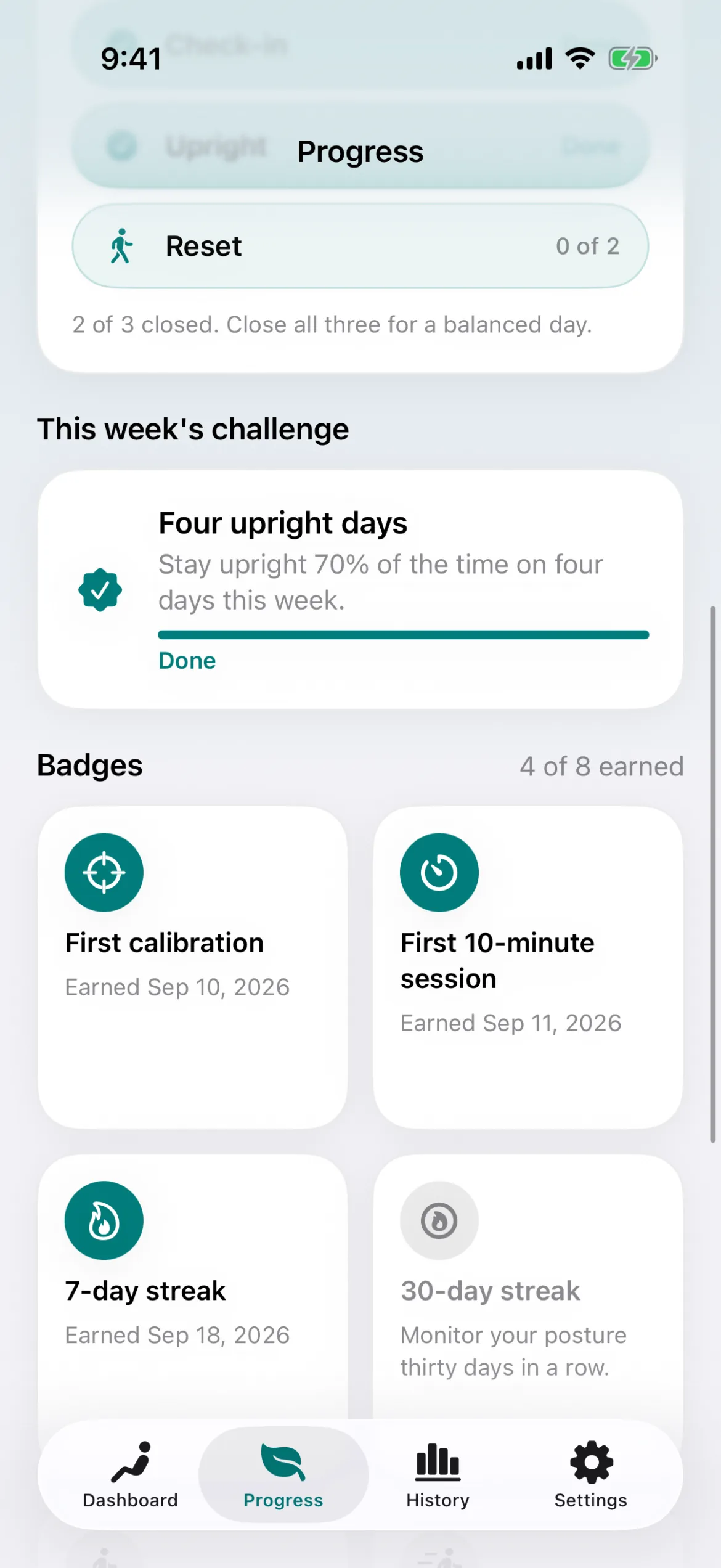
- Streaks, XP levels from Seedling to Zen, badges, and a weekly challenge for anyone who likes a reason to keep going.
Breaks & stretches
- Built-in break prompts with guided stretches, timed to give your neck an actual reset, not just a notification.
Private by design
- No analytics, no ads, no tracking, ever. No microphone, no camera.
- Head-motion data is processed on-device and is never recorded or uploaded.
- iCloud sync and Sign in with Apple are both optional — NeckGuard works fully without either.
iPhone + Mac, in sync
- The iPhone app is foreground-only by design — keep it open during a session, and the screen stays awake, so battery use depends mainly on session length and screen brightness.
- The free Mac app runs from the menu bar, with every feature unlocked, no purchase required.
- Turn on free iCloud sync and your session history follows you between devices, so streaks, goals, and levels match everywhere. Calibration and settings always stay on each device.
Free vs. Pro
| Feature | Free (iPhone) | Pro (iPhone) | Mac |
|---|---|---|---|
| Real-time posture monitoring & audio nudges | Yes | Yes | Yes |
| Calibration (sitting or lying down) | Yes | Yes | Yes |
| Streaks, daily goals, XP levels | Yes | Yes | Yes |
| History list | Yes | Yes | Yes |
| Backup import | Yes | Yes | Yes |
| Free iCloud sync | Yes | Yes | Yes |
| Extended trends & history calendar with day timeline | No | Yes | Yes |
| CSV / backup export | No | Yes | Yes |
| Widgets | No | Yes | Yes |
| Live Activity (iOS) | No | Yes | No |
| Badges & weekly challenge | No | Yes | Yes |
| Price | Free | One-time purchase | Free, everything included |
Private by design
NeckGuard runs with no analytics, no ads, and no tracking.
Your head-motion data is processed entirely on your device and is never recorded or sent anywhere. History stays local unless you turn on free iCloud sync to your own private iCloud account. Sign in with Apple is optional and only ever creates a local profile you can delete in the app. Apple Health, if you connect it, receives session minutes — nothing else. Read the full privacy policy
See it in action
Before you download
Compatibility & requirements
NeckGuard works with AirPods Pro, AirPods Max, AirPods (3rd generation and later), and select Beats models.
- iPhone: iOS 18 or later. The app runs in the foreground — keep it open during a session.
- Mac: macOS 14 Sonoma or later (Apple silicon and Intel), free direct download.
FAQ
Which headphones does NeckGuard work with?
Anything that supports Apple’s headphone motion tracking — AirPods Pro, AirPods Max, AirPods (3rd generation and later), and select Beats models. If your headphones don’t report head motion to iOS, NeckGuard can’t read it.
Does NeckGuard pause or lower the volume on my music?
No. When your posture is good, NeckGuard doesn’t touch your audio at all. When it needs to nudge you, it briefly dims whatever’s playing, plays a short cue, and restores your volume immediately — it never pauses playback or mutes you for long.
Does it run in the background on iPhone?
Honestly: keep the app open while you want it monitoring. It’s a foreground-only iPhone app by design. On Mac, NeckGuard runs continuously from the menu bar.
How much battery does it use?
Motion processing is lightweight and event-driven rather than constantly polling. On iPhone the screen stays awake during a session, so battery use depends mainly on how long you keep sessions running and your screen brightness.
Is the posture score or neck-load number a medical measurement?
No. Both are wellness estimates to help you notice patterns, not medical or diagnostic measurements. Talk to a doctor about pain or health decisions.
What happens to my data — does anything sync to the cloud?
Your motion data is processed on-device and never leaves your phone or Mac. Session history syncs only if you turn on free iCloud sync, stored in your own private iCloud account — calibration and settings always stay on each device. There’s no NeckGuard server in between.
How does Pro pricing work — is it a subscription?
Pro is a one-time purchase on iPhone. Pay once, keep it — no recurring charge.
Is the Mac app really free?
Yes. Every feature is included at no cost — there’s no separate Mac Pro tier.
Can I calibrate lying down, not just sitting?
Yes. Calibration supports both a sitting and a lying-down baseline, so it works if you read or unwind on your back.
How accurate is the neck-load estimate?
It’s a wellness estimate derived from head angle and motion, meant to give you a relative sense of strain over a session — not a clinical or precise physical measurement.
Do I need both an iPhone and a Mac, or does one work alone?
Either works on its own. Use both with free iCloud sync and your session history follows you between them, so streaks, goals, and levels match — calibration and settings stay on each device.
What if I skip iCloud sync or Sign in with Apple?
NeckGuard works fully without either. They’re optional conveniences, not requirements — everything still runs locally on your device.
Put your headphones on. Sit however you like. We’ll handle the reminder.
An estimate for wellness, not a medical measurement. Talk to a doctor about pain or health decisions.
AirPods and Beats are trademarks of Apple Inc., registered in the U.S. and other countries. NeckGuard is not made or endorsed by Apple.